> ## Documentation Index
> Fetch the complete documentation index at: https://docs.dune.com/llms.txt
> Use this file to discover all available pages before exploring further.
# Trino Connector Overview
> Access Dune's blockchain data through Trino/Presto-compatible tools and SDKs
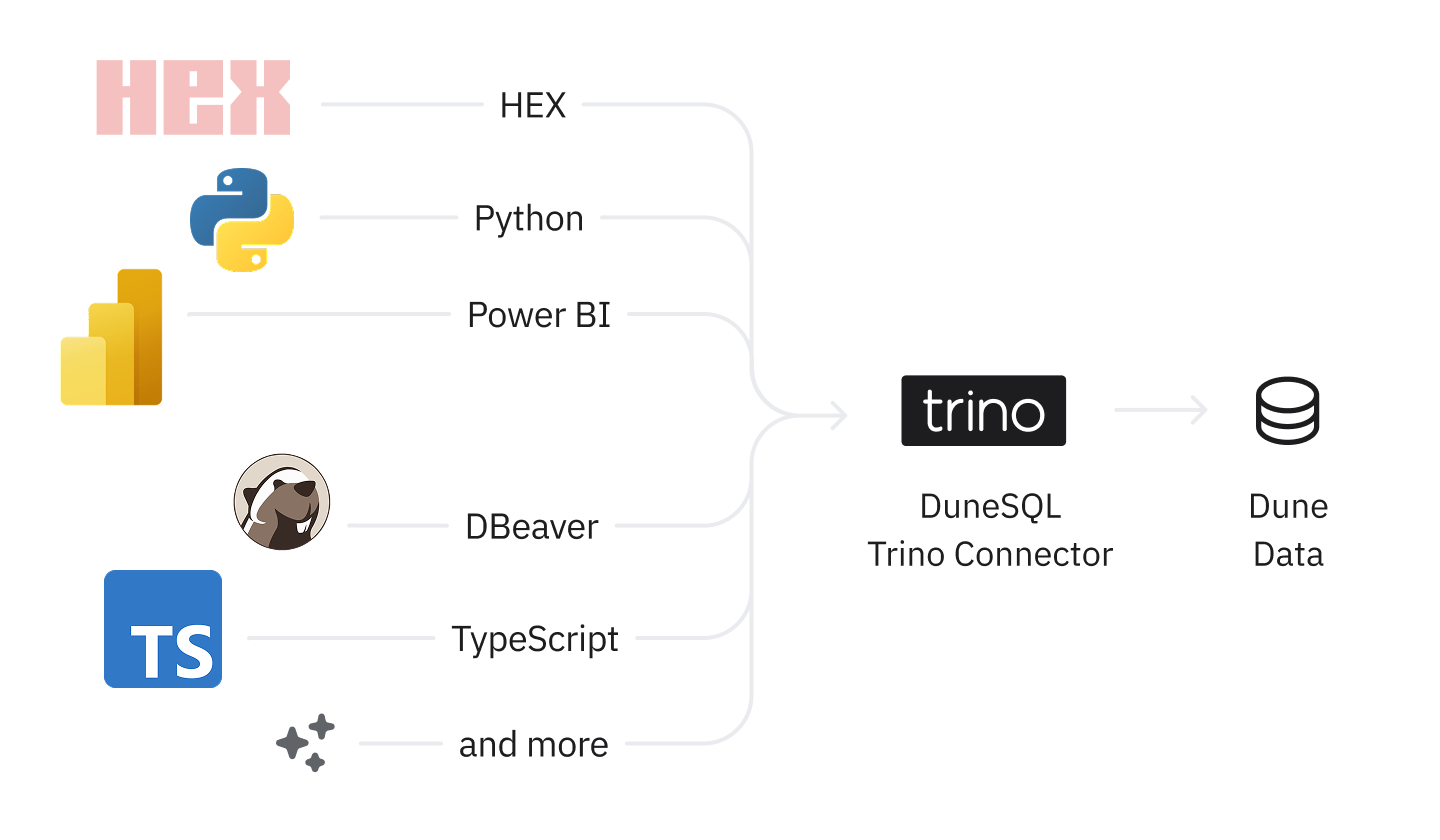
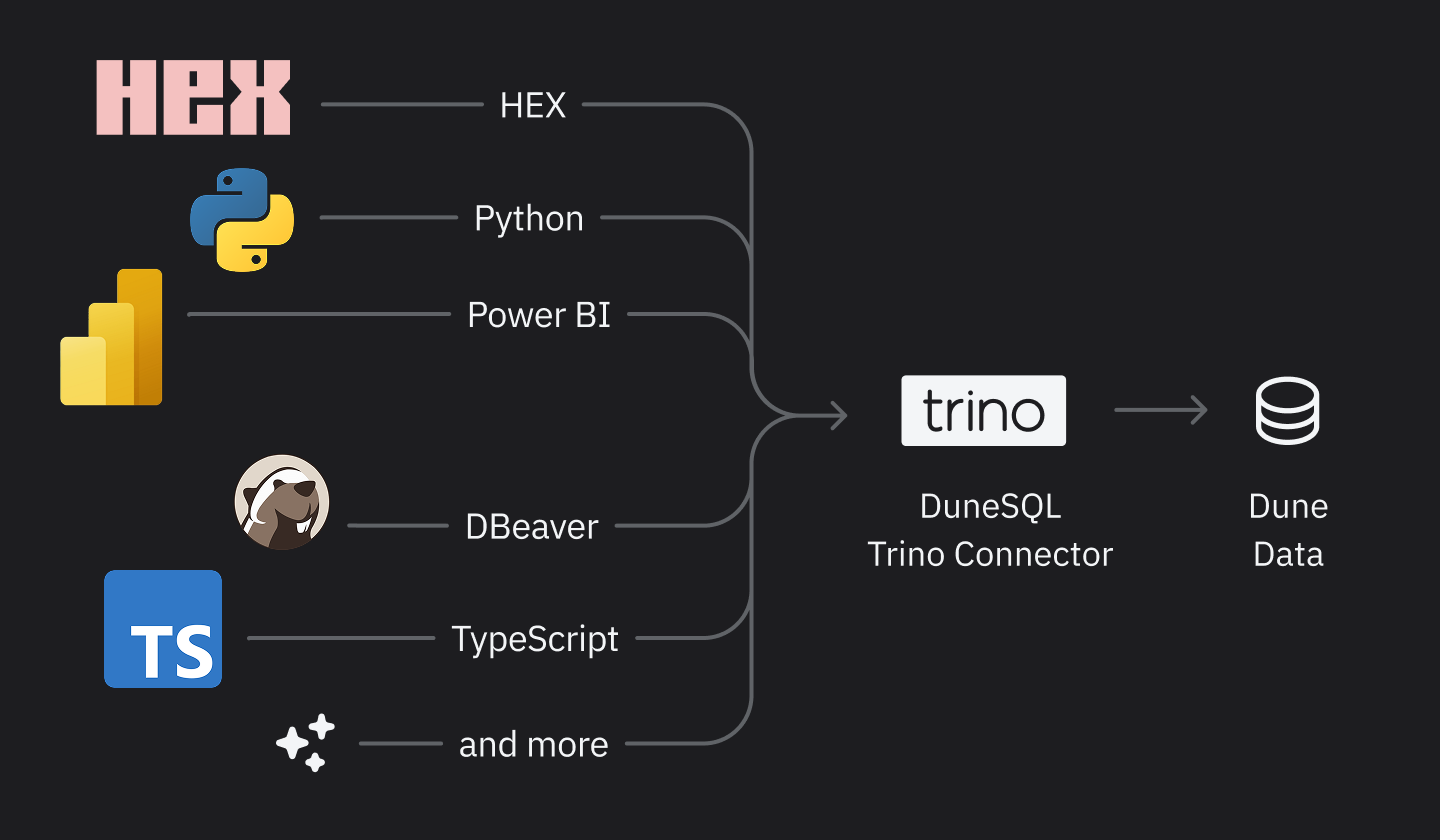
Access Dune's blockchain data from your favorite BI tools and clients using the DuneSQL Trino/Presto connector. Connect Dune with popular tools like Hex, Metabase, DBeaver, and any Trino, Presto, or Starburst-compatible application for seamless data analysis.
 The DuneSQL Trino Connector is currently only available to Plus and Enterprise customers.
## Compatible Tools
Dune's Trino connector supports any tool that works with Trino, Presto, or Starburst connectors. Popular Dune integrations include:
Connect Dune to Hex's notebook-native analytics via built-in Trino connector.
Integrate Dune with Metabase using the Starburst/Trino driver for BI dashboards.
Connect Dune to DBeaver using the Trino driver for direct SQL access to blockchain data.
Treat Dune like a Database in your language of choice with popular Trino libraries.
Any of the supported client applications listed in the [Trino ecosystem](https://trino.io/ecosystem/#official-client-applications) are supported. Please visit their documentation to learn about their specific connection instructions, though the configuration should generally follow the same pattern using the connection parameters below.
## Connection Parameters
Use these values in your Trino, Presto, or Starburst client configuration:
| Parameter | Value | Description |
| ----------- | --------------------- | ----------------------------------------------------------- |
| Host | `trino.api.dune.com` | Dune's Trino/Presto endpoint |
| Port | `443` | Standard HTTPS port |
| Username | `dune` | Fixed username for all connections |
| Password | `` | [Your Dune API key](/api-reference/overview/authentication) |
| Catalog | `delta_prod` | Main data catalog |
| SSL/TLS | `true` | Always use encrypted connections |
| HTTP scheme | `https` | Required for secure connections |
If you need an API key, see our guide on [Authentication](/api-reference/overview/authentication). Remember to keep your API keys secret and rotate them immediately if they are ever exposed.
## Supported SQL Operations
Queries executed via the connector align with what you can run on the Dune platform. See the [Query Engine overview](/query-engine/overview) for more information on supported functions and syntax.
## Rate Limits
Rate limits for the connector mirror those of the Dune Data API. Please refer to the [Rate Limits](/api-reference/overview/rate-limits) documentation for details.
## Billing & Cost
All queries run via the connector are executed on the [Large Query Engine](/query-engine/query-executions#query-engine-size). Credits are consumed based on actual compute resources used. In addition, fetching results consumes credits proportional to the number of datapoints returned. For a full breakdown, please see our documentation on [Billing](/api-reference/overview/billing).
## Limitations
The connector currently has limited support for metadata discovery queries such as `SHOW TABLES` or `SHOW SCHEMAS`. This may impact the data source browsing and autocomplete experience within some BI tools.
For schema and table discovery, see the [Data Explorer](/web-app/query-editor/data-explorer) guide. If you encounter timeouts with large result sets, consider paginating your queries using `LIMIT` and `OFFSET`, narrowing your filters, or splitting complex queries into smaller, more manageable parts.
The DuneSQL Trino Connector is currently only available to Plus and Enterprise customers.
## Compatible Tools
Dune's Trino connector supports any tool that works with Trino, Presto, or Starburst connectors. Popular Dune integrations include:
Connect Dune to Hex's notebook-native analytics via built-in Trino connector.
Integrate Dune with Metabase using the Starburst/Trino driver for BI dashboards.
Connect Dune to DBeaver using the Trino driver for direct SQL access to blockchain data.
Treat Dune like a Database in your language of choice with popular Trino libraries.
Any of the supported client applications listed in the [Trino ecosystem](https://trino.io/ecosystem/#official-client-applications) are supported. Please visit their documentation to learn about their specific connection instructions, though the configuration should generally follow the same pattern using the connection parameters below.
## Connection Parameters
Use these values in your Trino, Presto, or Starburst client configuration:
| Parameter | Value | Description |
| ----------- | --------------------- | ----------------------------------------------------------- |
| Host | `trino.api.dune.com` | Dune's Trino/Presto endpoint |
| Port | `443` | Standard HTTPS port |
| Username | `dune` | Fixed username for all connections |
| Password | `` | [Your Dune API key](/api-reference/overview/authentication) |
| Catalog | `delta_prod` | Main data catalog |
| SSL/TLS | `true` | Always use encrypted connections |
| HTTP scheme | `https` | Required for secure connections |
If you need an API key, see our guide on [Authentication](/api-reference/overview/authentication). Remember to keep your API keys secret and rotate them immediately if they are ever exposed.
## Supported SQL Operations
Queries executed via the connector align with what you can run on the Dune platform. See the [Query Engine overview](/query-engine/overview) for more information on supported functions and syntax.
## Rate Limits
Rate limits for the connector mirror those of the Dune Data API. Please refer to the [Rate Limits](/api-reference/overview/rate-limits) documentation for details.
## Billing & Cost
All queries run via the connector are executed on the [Large Query Engine](/query-engine/query-executions#query-engine-size). Credits are consumed based on actual compute resources used. In addition, fetching results consumes credits proportional to the number of datapoints returned. For a full breakdown, please see our documentation on [Billing](/api-reference/overview/billing).
## Limitations
The connector currently has limited support for metadata discovery queries such as `SHOW TABLES` or `SHOW SCHEMAS`. This may impact the data source browsing and autocomplete experience within some BI tools.
For schema and table discovery, see the [Data Explorer](/web-app/query-editor/data-explorer) guide. If you encounter timeouts with large result sets, consider paginating your queries using `LIMIT` and `OFFSET`, narrowing your filters, or splitting complex queries into smaller, more manageable parts.