

Prerequisites
- Dune Enterprise account with Data Transformations enabled
- Dune API key (generate one here)
- Team name on Dune (defines your namespace)
- dbt installed locally (we recommend using
uvfor dependency management)
1. Use the Template Repository
We provide a complete dbt project template to get started quickly: GitHub Template: github.com/duneanalytics/dune-dbt-template The template includes:- Pre-configured dbt profiles for dev and prod environments
- Sample models demonstrating all model types
- GitHub Actions workflows for CI/CD
- Cursor AI rules for dbt best practices on Dune
- Example project structure following dbt conventions
CI Workflows Are Disabled by DefaultThe template repository ships with GitHub Actions CI workflows disabled by default. Since each dbt execution consumes Dune credits, we recommend:
- Running models locally first to get familiar with your pipeline
- Reviewing the Pricing & Best Practices guide
- Enabling workflows when you’re ready by uncommenting triggers in the workflow files (see the template README for instructions)
2. Configure Environment Variables
Set these required environment variables:3. Configure dbt Profile
Yourprofiles.yml should look like this:
The
transformations: true session property is required. This tells Dune that you’re running data transformation operations that need write access.4. Test Your Connection
Project Structure
The template repository follows standard dbt conventions:Schema Organization
Schemas are automatically organized based on your dbt target:
This is controlled by the
get_custom_schema.sql macro in the template.
How It Works
Namespace Isolation
All tables and views you create are organized into your team’s namespace:- Production schema:
{your_team}- For production tables - Development schemas:
{your_team}__tmp_*- For development and testing
Write Operations
Execute SQL statements to create and manage your data:- Create tables and views in your namespace
- Insert, update, or merge data using standard SQL
- Drop tables when no longer needed
- Optimize and vacuum tables for optimal performance when querying these tables
Data Access
What You Can Read:- All public Dune datasets: Full access to blockchain data across all supported chains
- Your uploaded data: Private datasets you’ve uploaded to Dune
- Your transformation outputs: Tables and views created in your namespace
- Materialized views: Views that are materialized as tables in your namespace via the APP
- Your team namespace:
{team_name}for production tables - Development namespaces:
{team_name}__tmp_*for dev and testing - Private by default: All created tables are private unless explicitly made public
- Write operations are restricted to your team’s namespaces only
- Cannot write to public schemas or other teams’ namespaces
- Schema naming rules enforced: no
__tmp_in team handles
Querying dbt Models on Dune
Pattern:dune.{schema}.{table}
dune. when using queries in the Dune app.
Where Your Data Appears
Tables and views created through dbt appear in the Data Explorer under: My Data → Connectors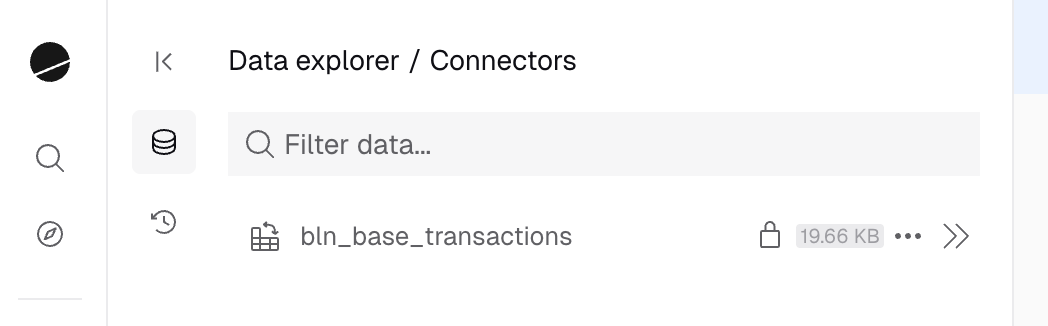
- Browse your transformation datasets
- View table schemas and metadata
- Delete datasets directly from the UI
- Search and reference them in queries
Next Steps
Incremental Models
Learn about merge, delete+insert, and append strategies
CI/CD & Workflows
Set up GitHub Actions and development workflows